Meal-photo analysis for iPhone

AI food scanner for meal photos—US$4.99 once.

Take or choose a meal photo. With your explicit permission, AskFork analyzes visible food and the context you provide, then returns directional calorie and nutrient estimates with ranges and assumptions you can inspect.

One paid download includes all current features. Local price and tax may vary. Results are estimates, not exact measurements.

One meal photo Camera or photo library
Visible reasoning Ranges and assumptions
No barcode needed Analysis of visible food
US$4.99 once No recurring subscription

Two different kinds of “food scanner”

A meal photo is not a product barcode.

Barcode apps identify a packaged product code and retrieve a database record. AskFork instead interprets the visible contents of a meal photo. That can help with mixed plates and restaurant meals, but it also carries visual uncertainty.

What AskFork does

Photo analysis

  • Looks at visible foods, portions, and meal context
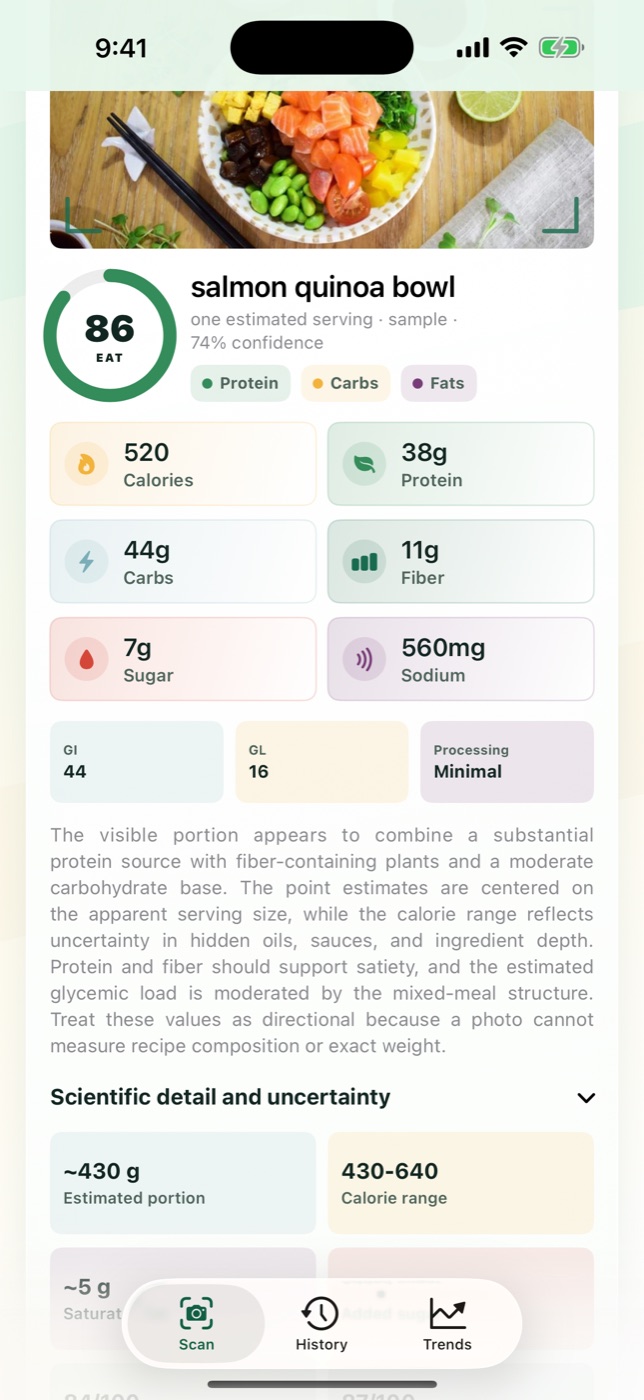
  • Estimates calories, protein, carbs, fat, fiber, sugar, and sodium
  • Shows an estimated calorie range and serving assumptions
  • Lets you save the photo and estimate to an on-device history
A different tool

Barcode scanning

  • Reads a code printed on packaged food
  • Looks up a matching product in a barcode database
  • Depends on the database record and selected serving size
  • Does not interpret the visible portions on a mixed meal plate

AskFork has no barcode scanner and no searchable barcode database.

The actual workflow

Photograph. Inspect. Save.

The current iPhone screens below show how a newly selected photo becomes an inspectable estimate and, if you choose, part of your private meal history.

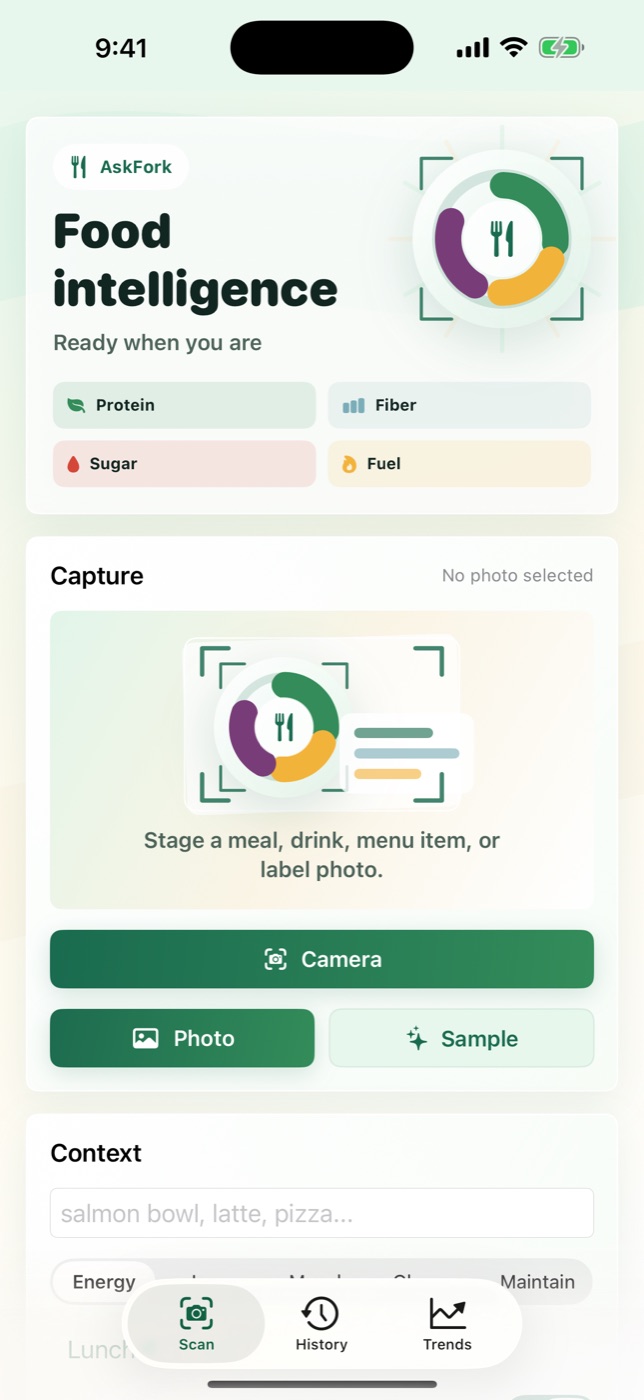
AskFork camera screen ready to capture a meal photo.
1. Choose a photo Use the camera or photo library and add optional meal context.
AskFork analysis showing estimated nutrients, a calorie range, evidence, and assumptions.
2. Inspect the estimate Review nutrients, the calorie range, visible evidence, and assumptions.
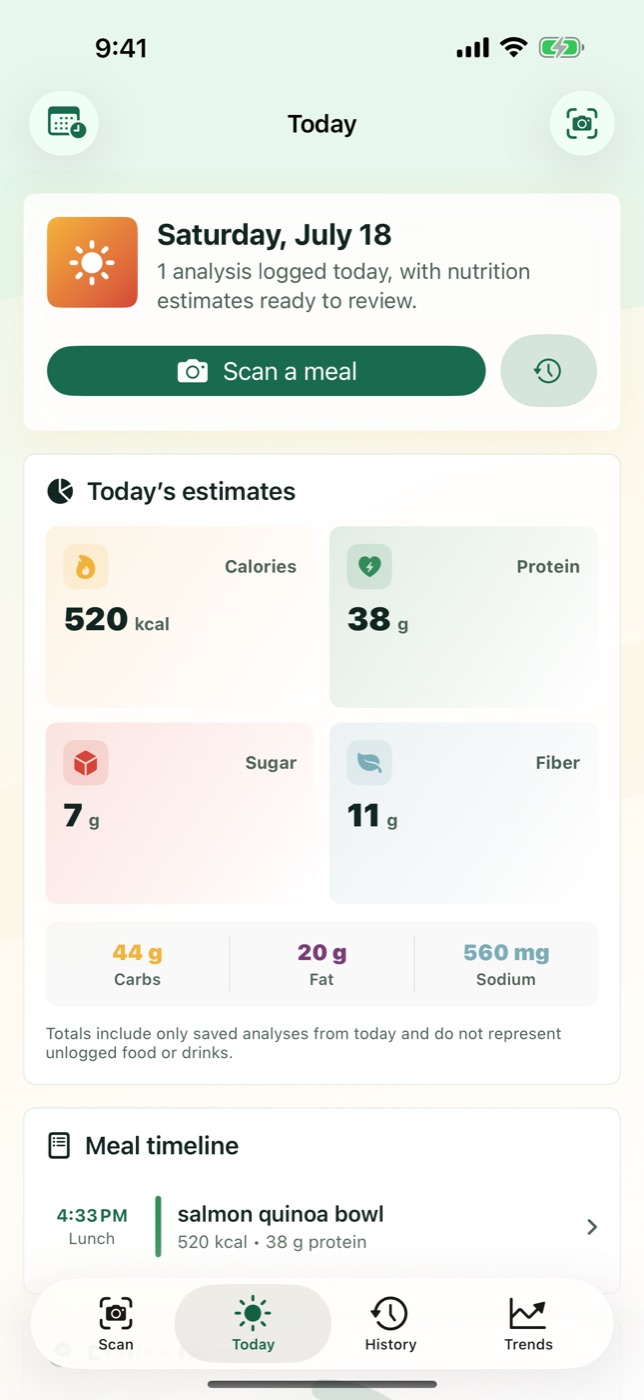
AskFork Today screen showing saved meal photos and estimated nutrient totals.
3. Save the context Keep chosen analyses in History and review logged Today totals.

An estimate you can question

More useful context than one unexplained number.

AskFork separates estimated nutrients from the clues and assumptions behind them, so uncertainty stays visible.

Directional totals

Estimated calories and seven nutrients for the photographed meal.

Estimated range

A calorie range that reflects some of the uncertainty in the photo.

Visible assumptions

Serving and ingredient assumptions you can read before saving.

Saved context

The photo, timestamp, notes, and estimate kept together on your iPhone.

Honest limits

The camera cannot see everything.

Hidden oils, sauces, ingredients, recipe ratios, and exact weights can materially change the real nutrition. AskFork may misidentify foods or portions, and its estimate may be wrong.

What it can support

  • Consistent meal-photo logging
  • Directional nutrient comparisons
  • Review of ranges and assumptions
  • Day, week, and month views of saved estimates

What it does not provide

  • Exact measurement or verified ingredient identification
  • A barcode database or packaged-product lookup
  • Allergy clearance or food-safety clearance
  • Diagnosis, treatment, medical advice, or a guaranteed result

Permission before analysis

You approve each newly selected photo.

AskFork asks before the image and disclosed meal context are sent through AskFork’s server to OpenAI for analysis. Saved meal history stays locally on the iPhone. Read the full privacy policy.

Before you download

AI food scanner questions

Is AskFork an AI food photo scanner or a barcode scanner?

AskFork analyzes visible food in a meal photo plus optional context. It does not read barcodes or look up packaged products in a barcode database.

Can an AI food scanner measure calories exactly?

No. A photo cannot provide an exact measurement of weight, hidden ingredients, oils, or recipe ratios. AskFork returns directional estimates, ranges, and assumptions that may be wrong.

Can AskFork clear a meal for allergies?

No. A photo cannot reliably reveal every ingredient or cross-contact risk. AskFork does not provide allergy clearance or food-safety clearance.

Does AskFork diagnose a condition or guarantee a result?

No. AskFork does not provide diagnosis, treatment, medical advice, or a guaranteed result. It is a general-wellness estimation and logging tool.

Does AskFork require a subscription?

No. AskFork is currently a US$4.99 paid iPhone download, and no additional subscription is required for the current features. Local App Store pricing and tax may vary.

AskFork for iPhone

Put the next meal photo in clearer context.

One paid download includes all current features. Local price and tax may vary.

Get AskFork — US$4.99 once